Alternatives to manual sales reporting for ecommerce teams
If Monday goes on downloading reports from every channel and stitching them together, there are five main alternatives. What each one automates, what it leaves to your team, and how to choose.
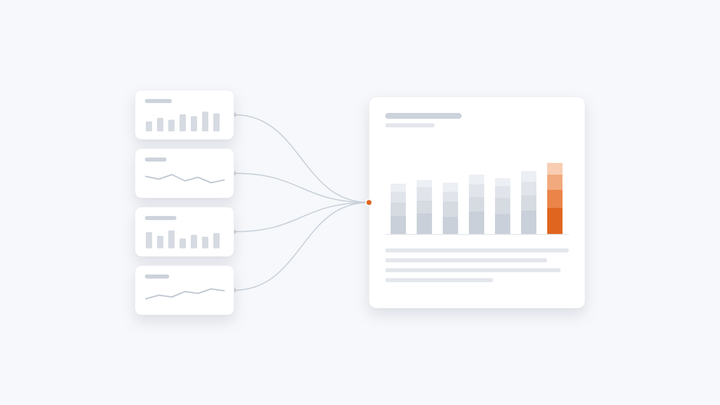
If your team spends Monday downloading reports from each marketplace, your own store and your ad accounts, then stitching them together in a spreadsheet, there are five main alternatives to generating the report by hand: each channel's own dashboard, a BI dashboard with data connectors, a multichannel ecommerce analytics tool, an AI assistant, or an AI workflow that reconciles the numbers and drafts the report in your format. Which fits depends on whether you need numbers on a screen or a report that leadership reads and acts on.
Why the weekly report takes so long
The work is the same every week. What makes it slow:
- Every channel reports differently. Marketplaces, your store, ad platforms and analytics each count sales, returns, fees and traffic their own way, on their own schedules.
- The numbers don't agree. Getting them to match is where much of the time goes, and finance often has a number of its own.
- Someone has to explain them. What changed, why, and what to do next, written by whoever has the report that week, so it reads differently depending on who wrote it.
Five alternatives
1. Each channel's own dashboard
Seller Central, your store's analytics, Meta Ads Manager and Google Analytics are free and up to date. But each shows one channel, so someone still has to put them side by side.
2. A BI dashboard with data connectors, such as Looker Studio or Power BI
One live view across channels. Someone has to build and maintain the connectors and agree the definitions, and marketplace data connections can take time to approve. It shows the numbers. It doesn't write what they mean.
3. A multichannel ecommerce analytics tool
Ready-made dashboards for common channels, quick to set up if your channels are supported. The definitions are the tool's, not yours, and the output is a dashboard rather than your report.
4. An AI assistant, such as ChatGPT or Copilot
Paste in the exports and ask questions. Fast for a one-off look. But each week starts from scratch, two people can get two different answers, and nothing records which number came from which file.
5. An AI workflow that produces the report
It pulls each channel's data, reconciles it, flags where channels disagree, and drafts the report in your format, with what changed, why and what to do next. Your team reviews it before it goes to leadership. This is what Chaidojo does.
How to choose
- If the team needs a live screen of numbers to check during the week, a BI dashboard is the right tool.
- If leadership needs the weekly report, reconciled and explained in your format, you need something that produces the report, not just the numbers.
- If you're doing both by hand today, you may want both.
How Chaidojo produces the weekly report
- Connect your channels. Marketplace, store, ad and analytics data, through a direct connection where one is available, and the weekly exports your team already downloads where it isn't. The report doesn't wait for an API approval.
- Reconcile the numbers. Each channel's figures are matched into one view. Where channels disagree, the difference is flagged rather than hidden.
- Draft the report. In your format: what changed, why, and what to do next, with every number traced to its channel.
- Review and send. Your team edits anything, with the reason recorded, and sends it to leadership.
During setup, we capture how your team reads the numbers: which metrics leadership cares about, how you explain a dip, and what counts as a problem worth flagging. So the report reads the same whether your head of ecommerce built it or your newest analyst did.
Chaidojo reports and recommends. It only ever reads from your systems, and your team makes every change to budgets, prices and listings. Your first weekly report is ready within 20 days of us getting access to your data.
Common questions
What if we can't get API access to a marketplace?
We work from the reports your team already downloads each week, and switch to a direct connection once access is approved. The weekly report doesn't wait for it.
Does it replace our analysts?
No. It takes the downloading, stitching and first draft. Your team reviews the report, decides what it means, and owns what goes to leadership.
Will it change our ad spend, prices or listings?
No. Chaidojo reports and recommends. Every change to budgets, prices and listings is made by your team.
Do we need a data warehouse first?
No. Chaidojo starts from the connections and downloads you already have. You don't need to clean up your data first.